
Everything the job needs. Nothing it doesn't.
The screenshots below are directly from Proddle.
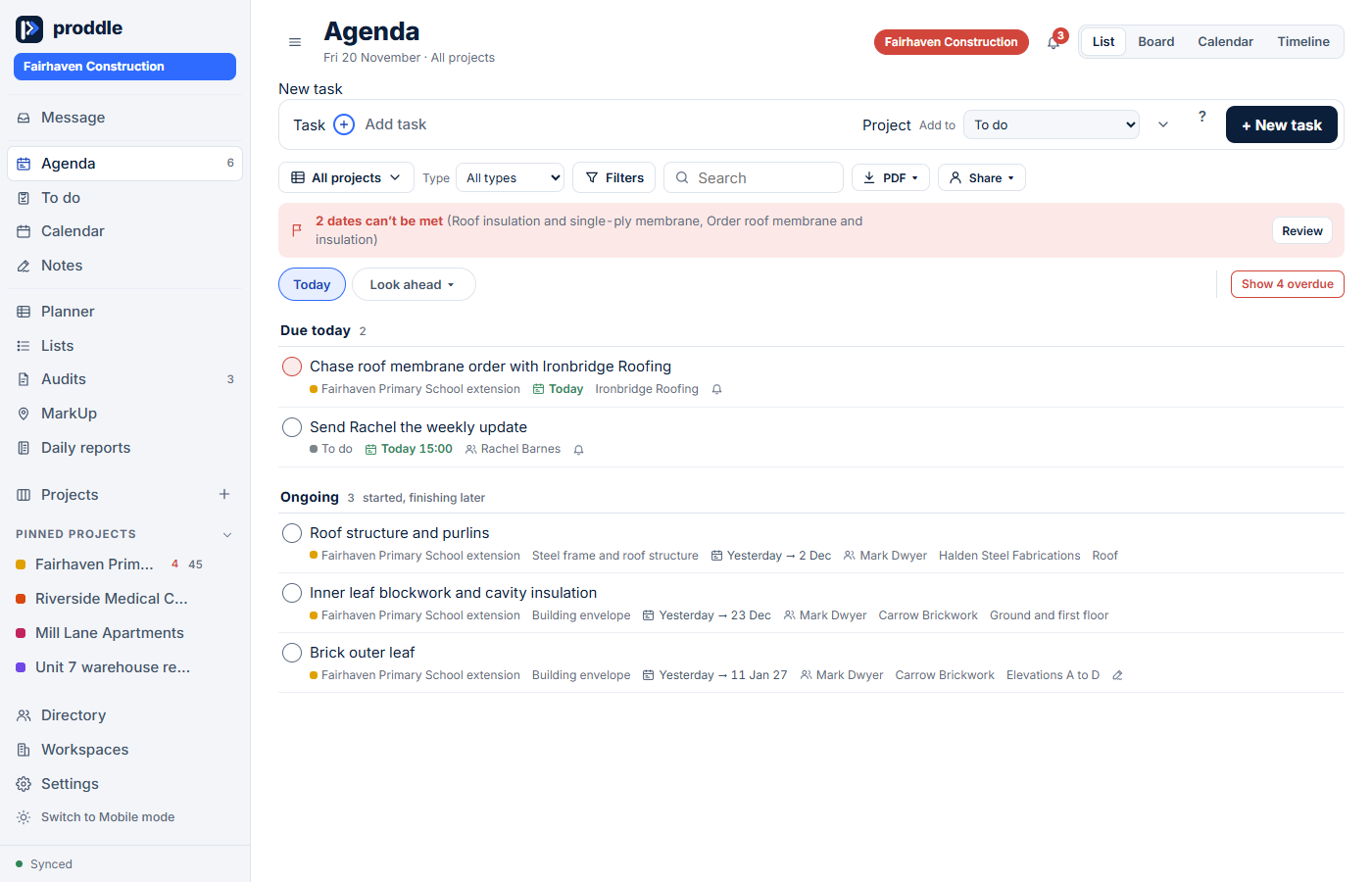
Agenda: know what is happening tomorrow
Your daily screen. What is overdue, due today and in progress, with a look-ahead for the weeks to come. Type new tasks the way you would say them and Proddle fills in the date, person and company.
- Overdue, today, ongoing and no-date, across every project
- Quick add: "chase membrane order &ironbridge fri p1"
- Swipe to complete
- Reminders to your phone
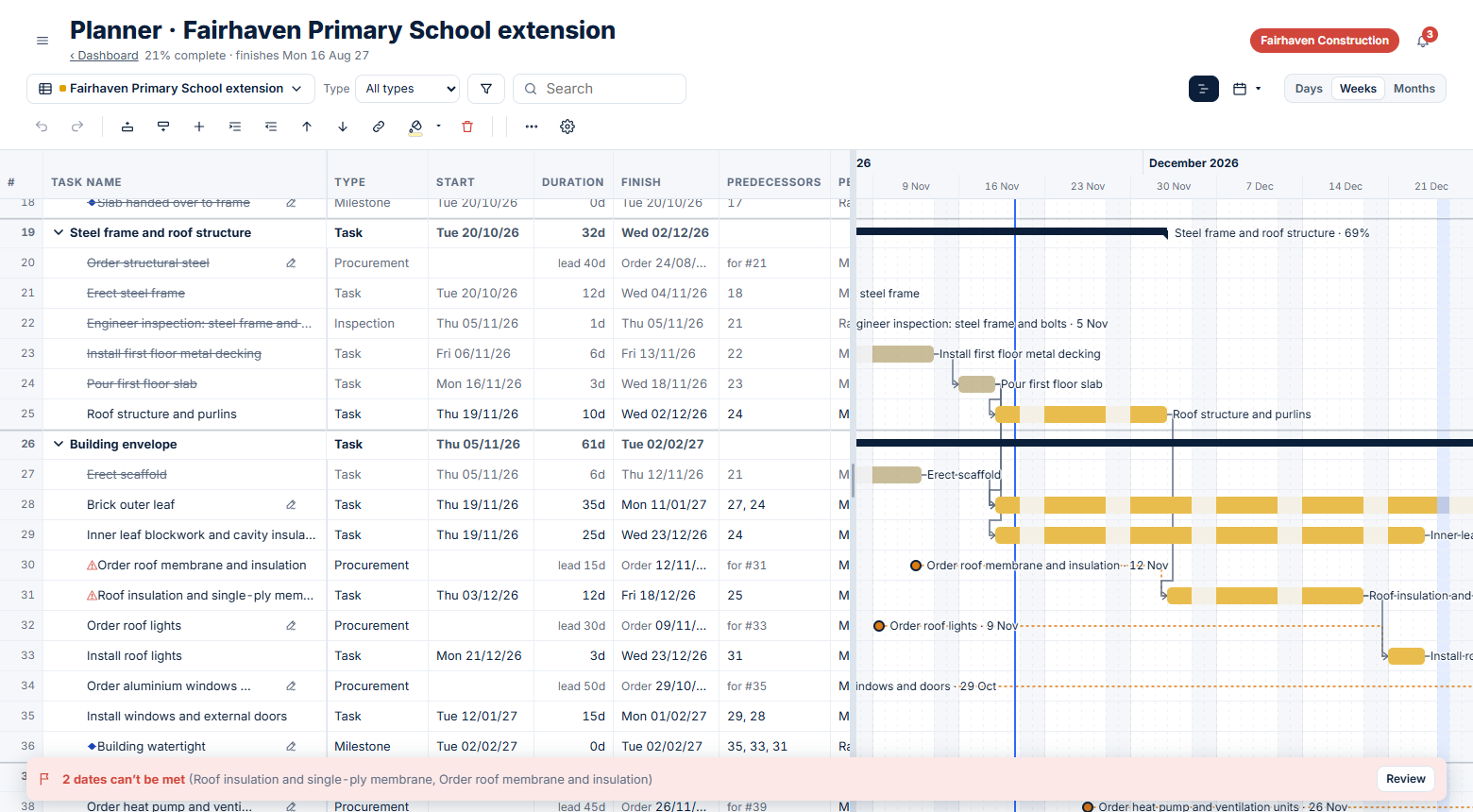
Planner: a programme you can read
A spreadsheet-style programme with a Gantt chart beside it. Links, sub-tasks, paste and import, baselines and a read-only comparison of programmes you are sent. A lighter planner for people who run sites, not a heavyweight package.
- Links between tasks, and dates that follow
- Import from a scheduling package or Excel
- Compare a programme you receive without touching your own
- Dashboard: progress, what needs attention, who has the work
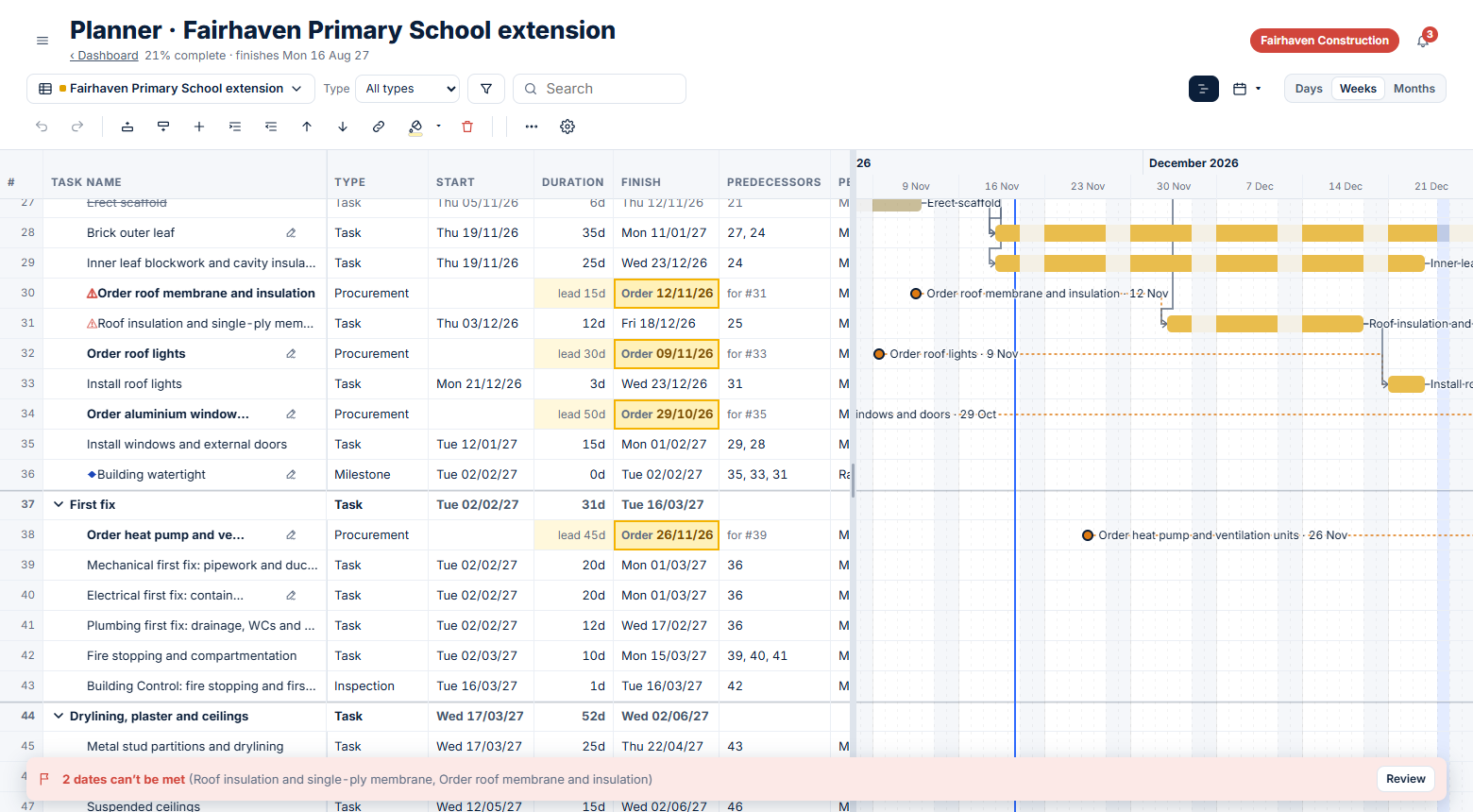
Orders and lead times
Tell Proddle when something is needed on site and how long it takes to arrive. It works out the order-by date, reminds you, and warns you the moment a lead time can no longer be met.
- Needed-on-site date plus lead time gives the order-by date
- "2 dates can’t be met": see problems before they hit the programme
- Orders show where they sit in the programme
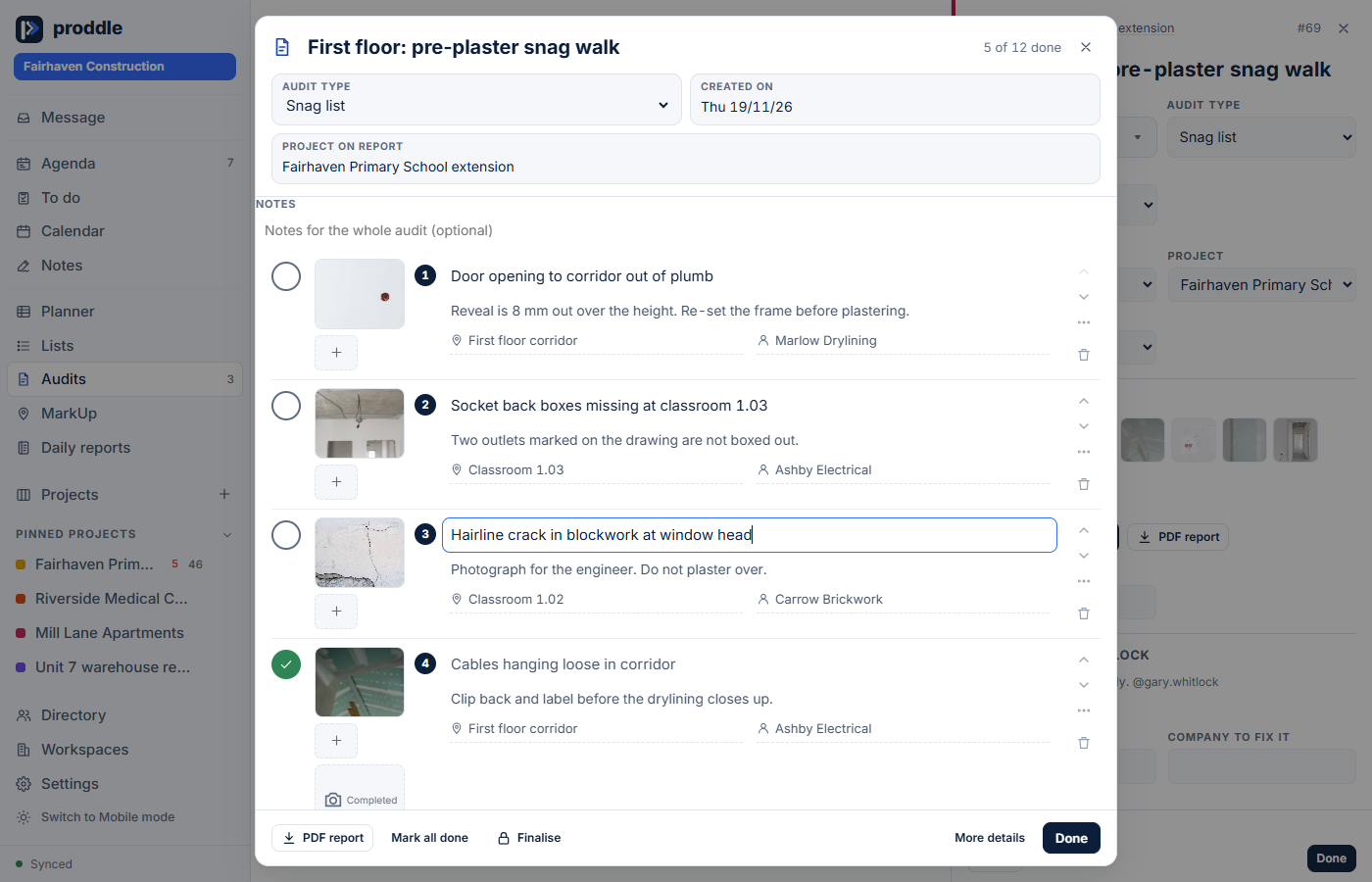
Audits and snagging
Numbered lists of items, each with a photo, a note, where it is and who it belongs to. Tick them off as they are fixed. Export a report you are happy to send to a client.
- Snag lists, dilapidations, surveys and your own audit types
- Mark up photos with circles and arrows
- A clean, photo-led PDF report
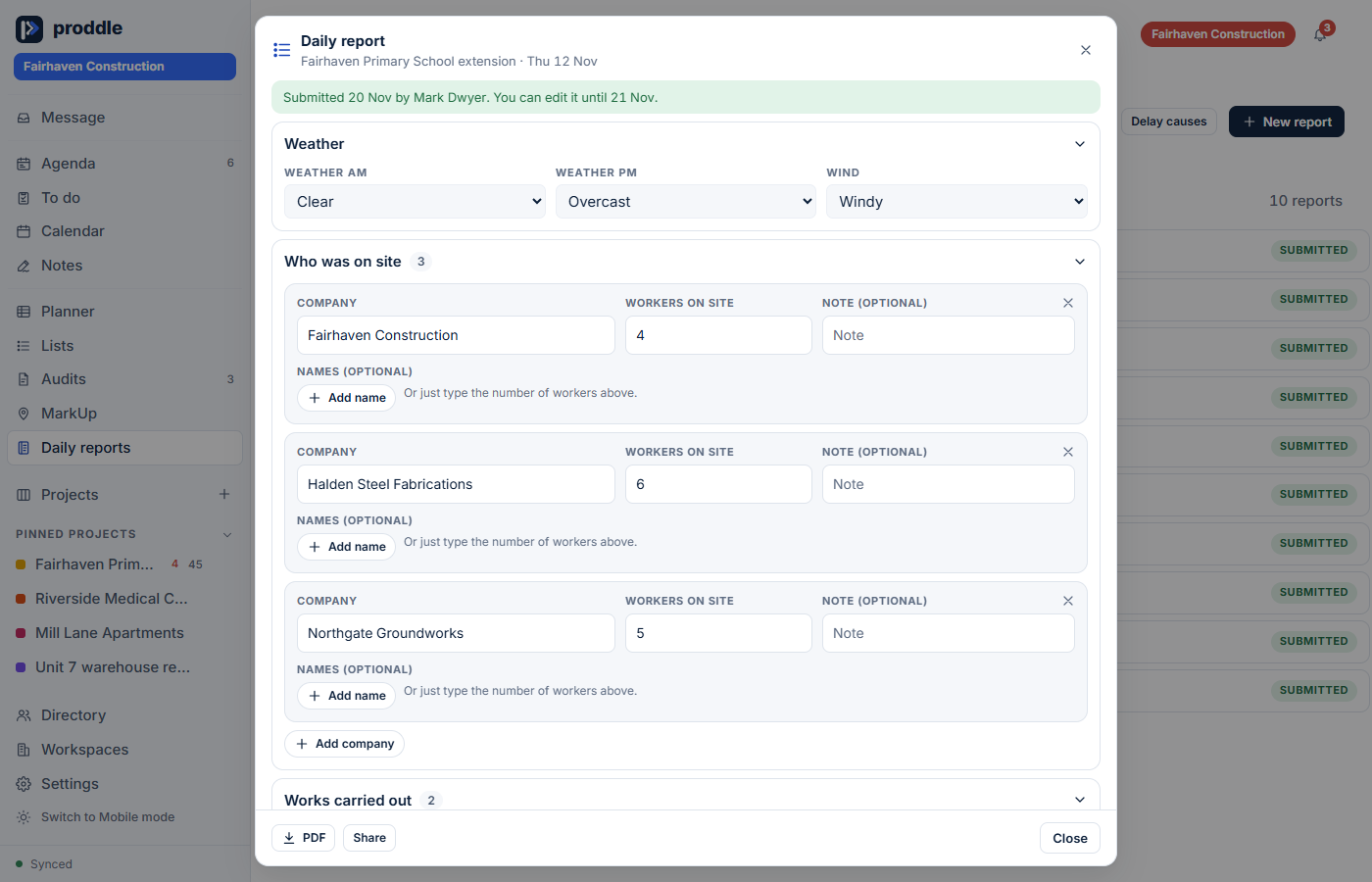
Daily reports in five minutes
Weather, who was on site by company, the works carried out, delays with their cause and hours lost, and the safety tick. Pull works from the programme. Submit, then share a PDF or a weekly summary.
- Delays recorded with a cause, so there is evidence when you need it
- Edit for 24 hours, then amendments are logged
- Weekly summary as PDF or spreadsheet
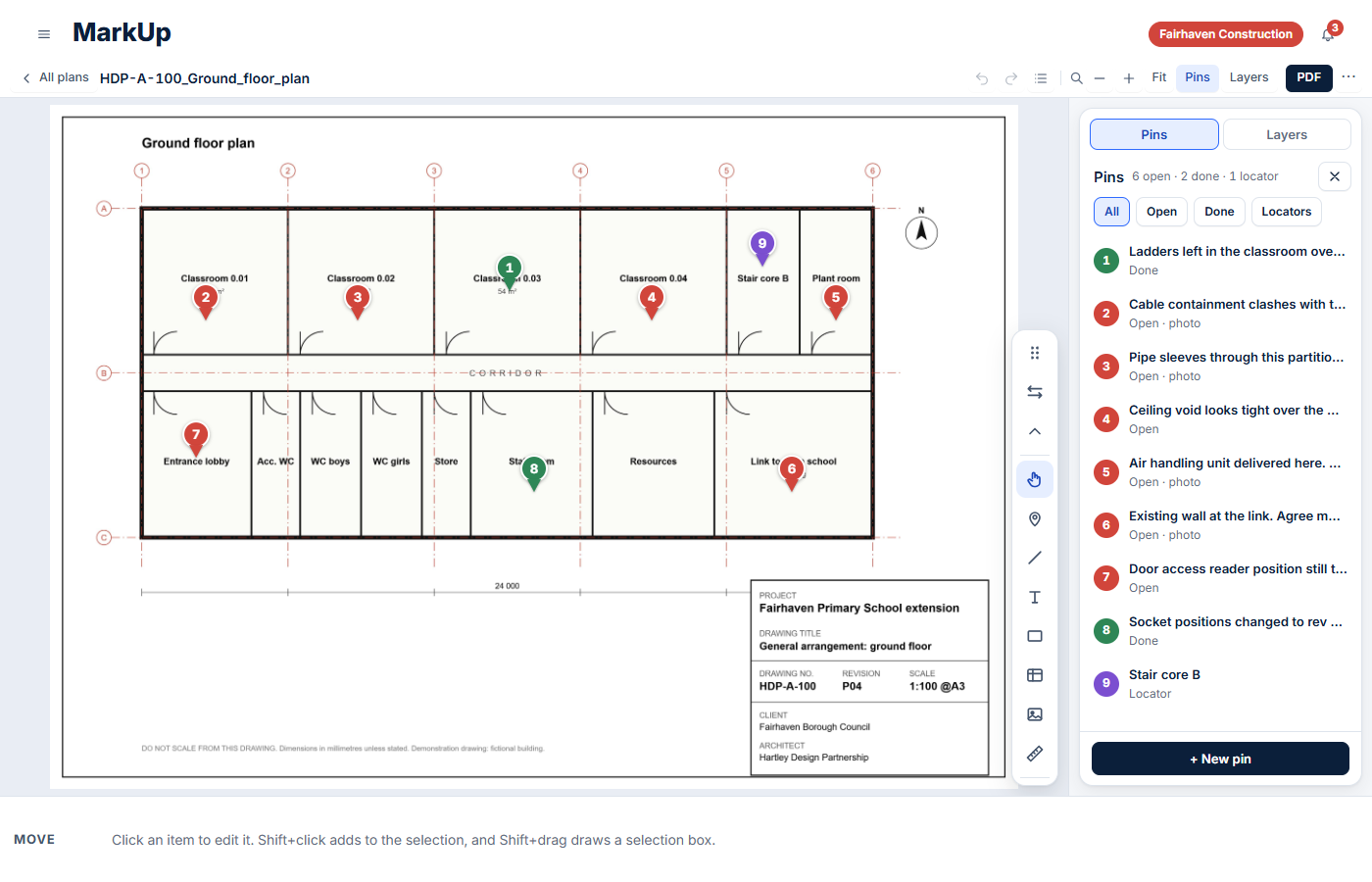
MarkUp: pin it to the drawing
Open a PDF drawing, drop pins with notes and photos, measure, highlight and add text. Turn a pin into a task in one tap. Every change is logged to a person.
- Open, done and locator pins
- Layers, and the drawing’s own CAD layers
- Export a marked-up PDF
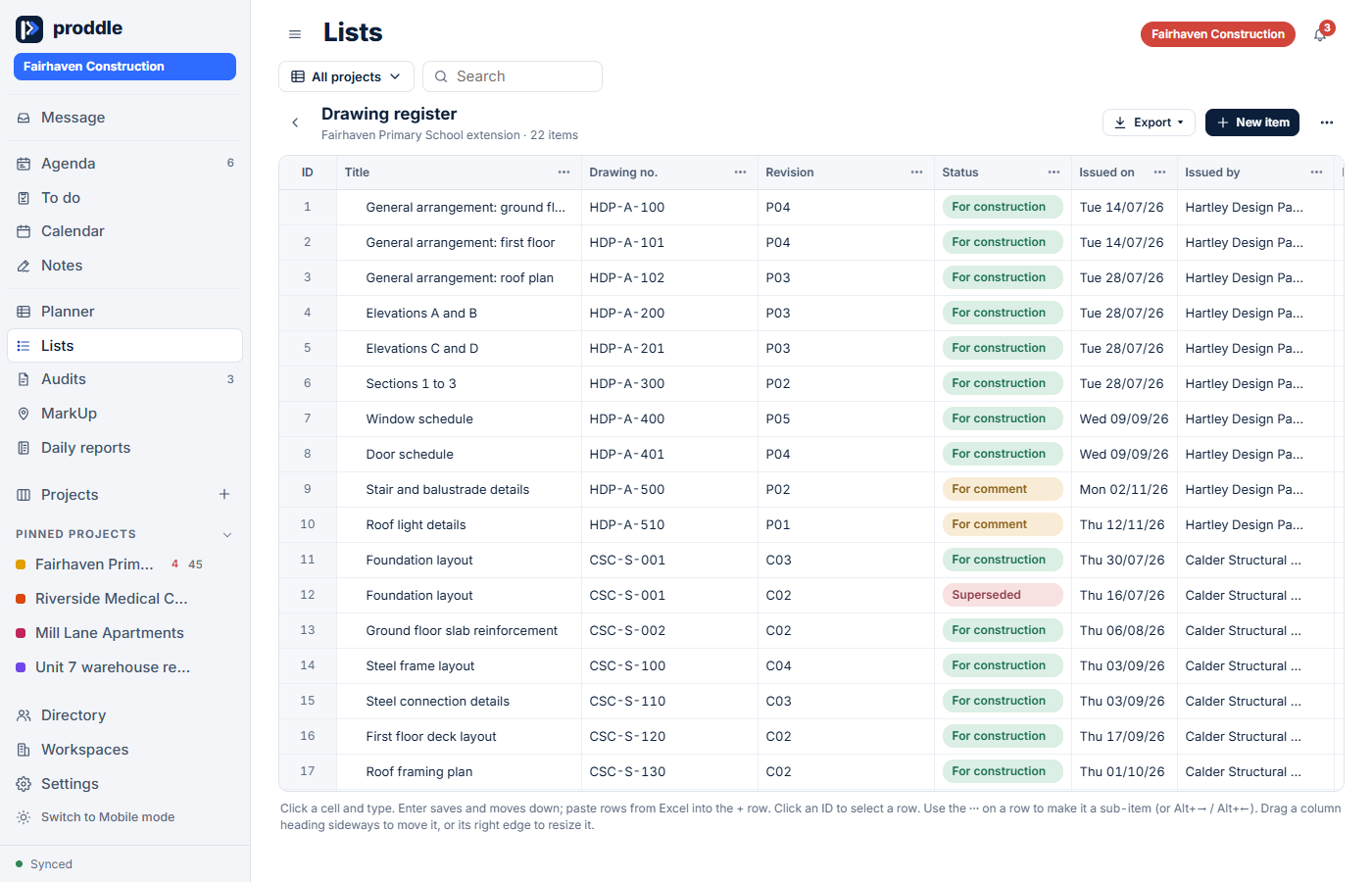
Lists: registers that aren’t a mess
Drawing registers, asset registers, plant hire and handover trackers, ready to start from. Paste rows from Excel, change a column and keep going. Export to PDF.
- Starters for drawings, assets, plant hire, handover and specifications
- Choice, date, money, company and link columns
- Paste straight from a spreadsheet
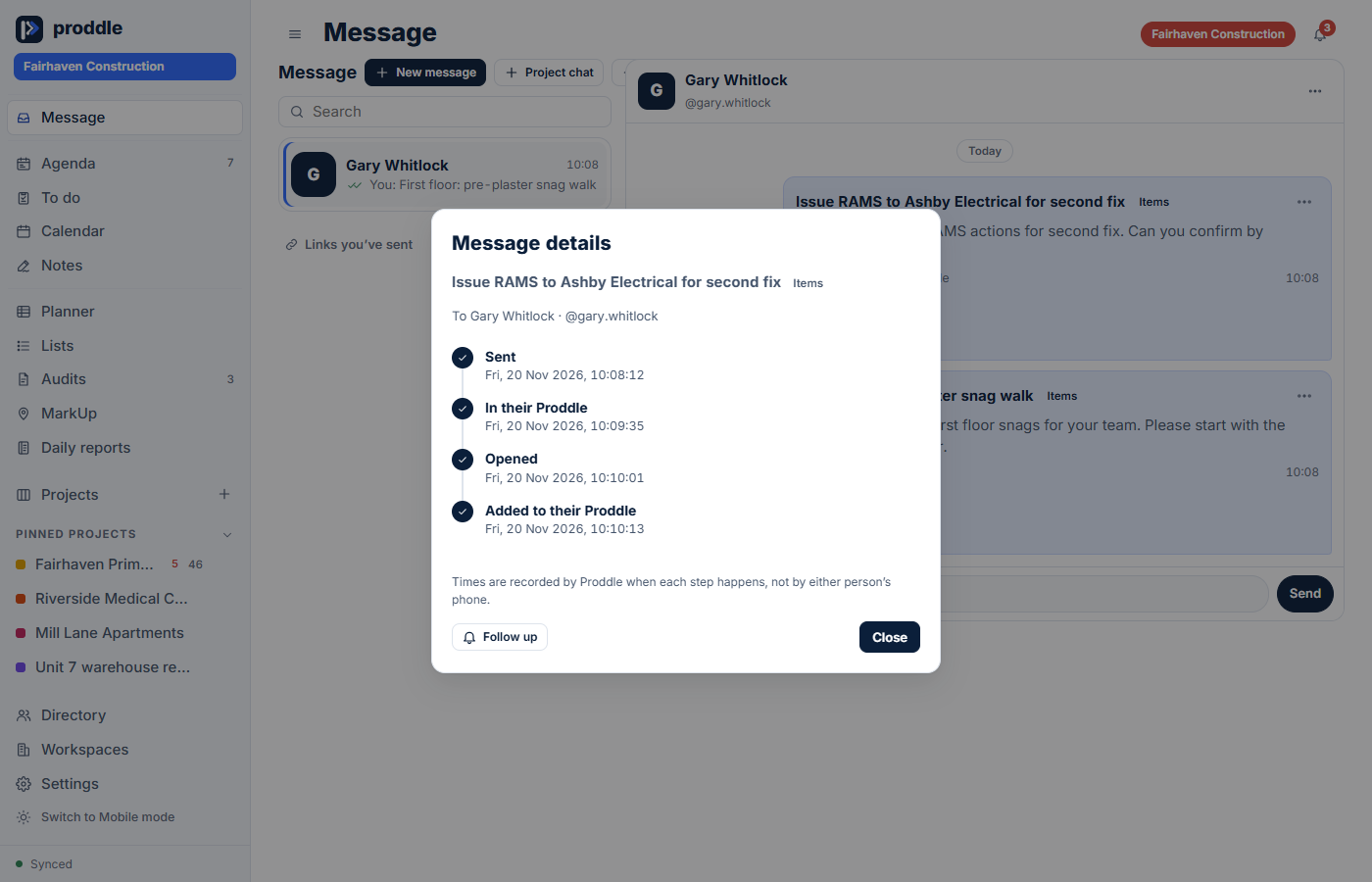
Messages: see when it was received
Send tasks, audits and updates straight to the people who need them. Details show when it was sent, when it arrived, when it was opened and when it was added to their Proddle, with a one-tap follow-up.
- Sent, received, opened, added: each with a time
- Follow up with one tap
- Make a task or a reminder from any message
The Directory: who is doing what
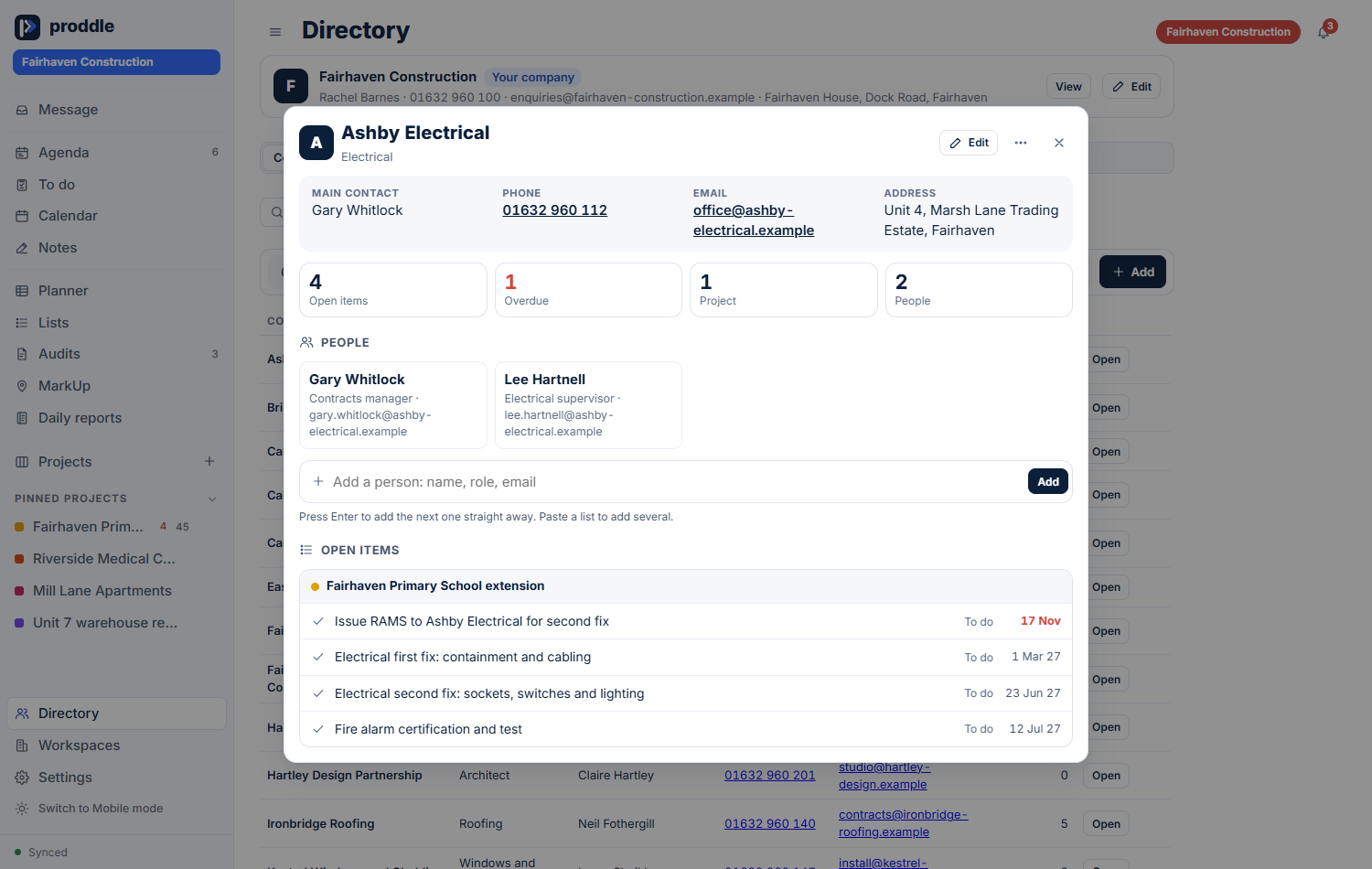
A Directory of companies and people, with contact details, and everything still open against each firm across your projects. Add them as you type, or paste a list. Keep your own notes and to-dos apart from the programme.
- One card per company: contacts, people and open items
- Names fill in as you type tasks (@sam, &company)
- Notes you can turn into tasks
Your team, your subcontractors
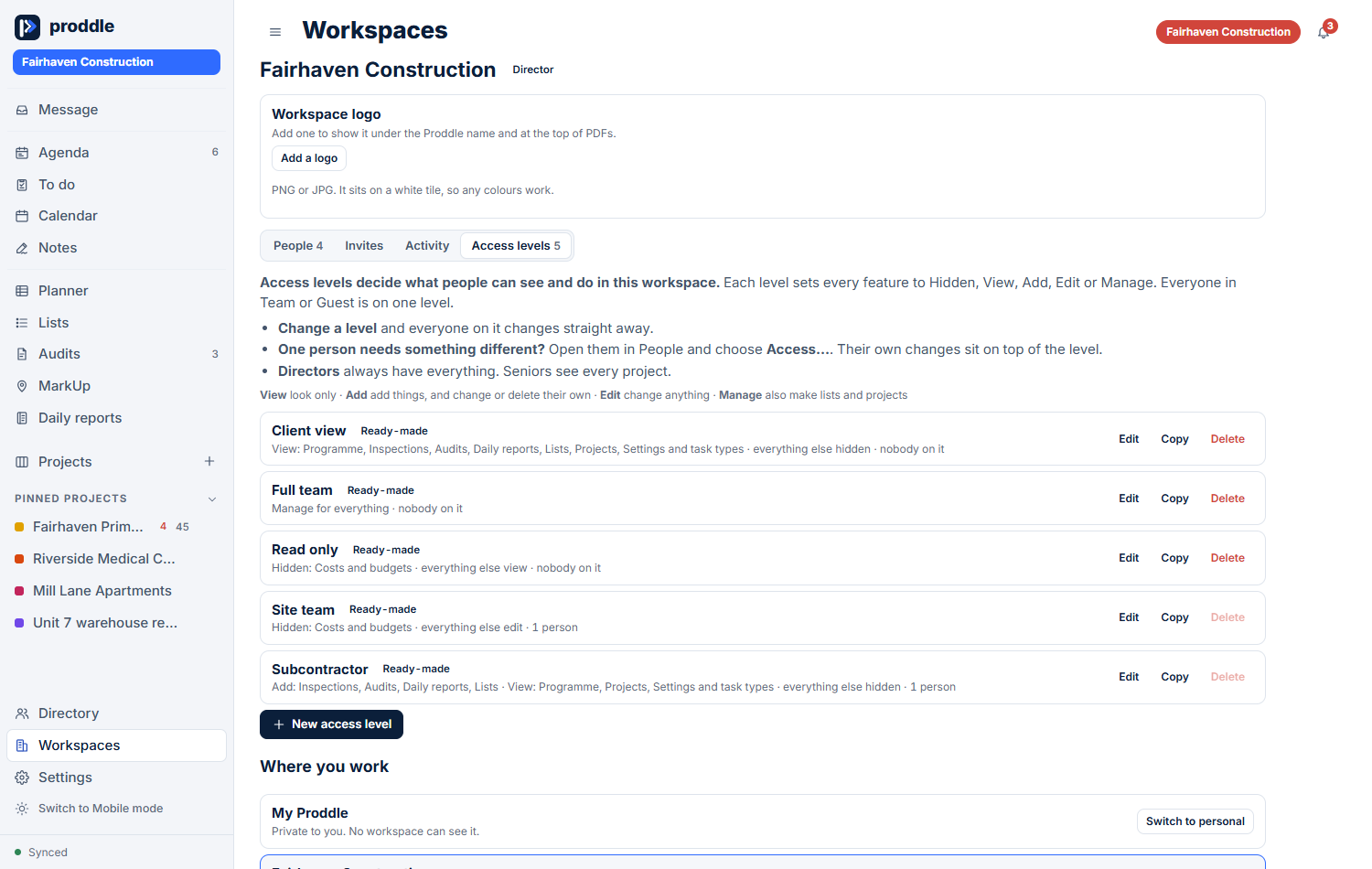
Invite people to a company workspace, give them an access level and the projects they need. A subcontractor sees only what you give them. A private project stays private, even from the company owner.
- Directors, Seniors, Team and Guests
- Ready-made access levels, or build your own
- Remove access instantly if a phone is lost
Your data, stored securely
Site records, photos and people's details deserve proper care. This is what we do to look after them.
Held in Europe
Your data is stored in a data centre in Frankfurt, Germany, on professional cloud infrastructure. Everything travels over encrypted connections.
Kept apart by the database
One company can never see another's. The separation is enforced by the database on every request, not just hidden on screen. A private project stays private, even from the company owner.
You choose who sees what
Roles, ready-made access levels and project-by-project access. A subcontractor sees only the project you give them.
Lost a phone? Lock it out
Remove someone's access in one tap. Their devices clear the company's data the next time they connect.
A record, and a way back
Change history you can restore, deleted work kept for 30 days, and a log of what changes about your people.
Your data stays yours
Export your work in standard formats at any time, and ask us to delete it. We don't sell your data, and this website uses no tracking or advertising cookies.
Proddle is built around UK GDPR principles: keep only what is needed, limit who can see it, and let people take it with them. Full privacy and security details will be published here.